
Best Apps for Freelancers in 2024: A Comprehensive Guide to Professional Productivity and Business Management

The global freelance economy has undergone a seismic shift since 2019, evolving from a niche career path into a dominant force in the modern labor market. According to recent industry reports, the number of independent workers in the United States alone reached an estimated 72 million in 2023, a significant increase from previous years. As this demographic expands, the reliance on sophisticated digital infrastructure has become the primary differentiator between struggling solo operators and successful "solopreneurs." Navigating the saturated market of software-as-a-service (SaaS) products is now a critical business skill for freelancers who must manage time, finances, and client relationships without the support of a traditional corporate backend.

The Evolution of the Freelance Tech Stack
The transition from traditional employment to full-time freelancing requires a fundamental reorganization of daily operations. In the early 2010s, freelancers often relied on disparate tools—basic spreadsheets, personal email accounts, and manual invoicing. However, the current landscape demands integrated solutions that offer automation and scalability. Industry analysts note that the average successful freelancer now utilizes between five and ten distinct applications to maintain operational efficiency. This "tech stack" serves as the virtual office, providing the necessary framework for time tracking, project management, and financial compliance.
Time Management and Productivity: The Foundation of Profitability
For the independent professional, time is the most valuable commodity. Efficiently tracking and managing hours is not merely about billing; it is about analyzing the return on investment (ROI) for specific projects.

-
Clockify and Toggl: These platforms represent the gold standard in time tracking. While many freelancers are moving toward project-based or value-based pricing, time tracking remains essential for internal auditing. By utilizing Clockify’s free tier or Toggl’s detailed reporting, freelancers can determine if their flat rates align with the actual hours worked. Data suggests that freelancers who track their time increase their billable efficiency by up to 20%.
-
ClickUp, Asana, and Todoist: Project management has moved beyond simple to-do lists. ClickUp offers a high degree of customization, allowing users to create separate workspaces for various clients—a feature vital for those managing diverse portfolios. Asana remains a favorite for social media managers and creative directors due to its visual content calendars. For those preferring a minimalist approach, Todoist provides a streamlined interface that mimics traditional note-taking while offering powerful digital syncing capabilities.
Financial Infrastructure and Invoicing Solutions
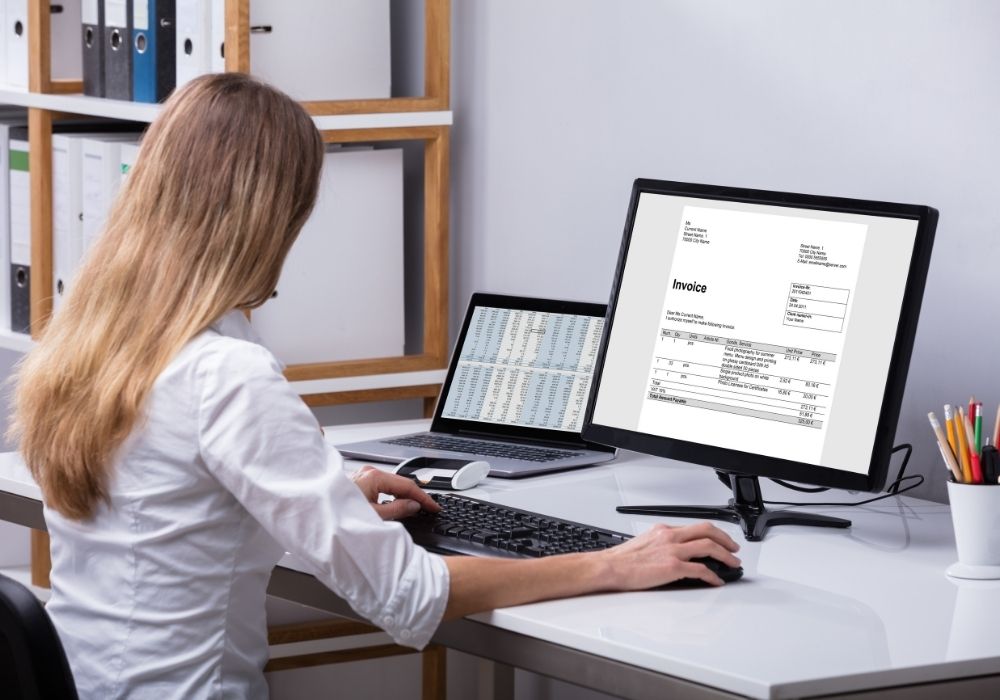
Cash flow management is often cited as the most significant stressor for independent contractors. Professional invoicing software does more than just request payment; it establishes a professional brand image and automates the follow-up process for overdue accounts.
-
HoneyBook and Dubsado: These are categorized as Client Relationship Management (CRM) tools. HoneyBook is particularly noted for its mobile integration, allowing freelancers to respond to inquiries and send contracts on the go. Dubsado, while possessing a steeper learning curve, offers high levels of brand customization, making it the preferred choice for graphic designers and luxury service providers.

-
QuickBooks and Wave: For financial compliance and tax preparation, these tools are indispensable. QuickBooks provides a comprehensive accounting suite that tracks expenses and prepares users for quarterly tax filings. Wave offers a robust free alternative, integrating with payment processors like Stripe and Square to provide a seamless "quote-to-paid" workflow.
-
PayPal: Despite the rise of specialized platforms, PayPal remains a cornerstone of the freelance economy due to its global reach and consumer trust. It is frequently used for international transactions where traditional bank transfers may be cost-prohibitive.

Communication Paradigms: Synchronous vs. Asynchronous Tools
Effective communication is the bedrock of client retention. The modern freelancer must balance being accessible with maintaining "deep work" cycles.
-
Slack and Voxer: Slack has transitioned from a corporate tool to a freelance essential, providing a dedicated space for client communication that avoids the clutter of a standard email inbox. Voxer, an asynchronous voice messaging app, has gained popularity among consultants and coaches who provide "office hours" without the need for scheduled live calls.

-
Zoom and Loom: While Zoom remains the standard for live consultation and discovery calls, Loom has emerged as a "hidden gem" in the freelance toolkit. Loom allows users to record their screen and face simultaneously to deliver video tutorials or project walkthroughs. This asynchronous method reduces the need for meetings, which industry data suggests can consume up to 30% of a freelancer’s workweek.
-
Gmail: Professionalism in communication is often tied to the tools used. Utilizing Gmail through Google Workspace allows freelancers to use custom domains (e.g., [email protected]), which significantly increases perceived authority in cold outreach scenarios.

Organizational Security and Cloud Storage
As freelancers handle sensitive client data and large creative files, the importance of secure, organized storage cannot be overstated.
-
Google Drive and Dropbox: These platforms are the industry standards for document sharing. Google Drive’s collaborative environment is ideal for live document editing, while Dropbox is often preferred for its robust file-syncing capabilities and "Paper" collaborative docs.

-
LastPass: Security experts emphasize the risk of sharing passwords via unencrypted channels like email. LastPass allows freelancers to securely receive and store client credentials, a necessity for social media managers and web developers who require access to third-party platforms.
-
Goodnotes and Evernote: Digital note-taking has seen a resurgence with the adoption of tablets. Goodnotes is frequently used by designers for sketching and planning, while Evernote remains a powerful repository for research and meeting minutes.
The Human Element: Health and Sustainability Apps
The lack of a traditional office environment often leads to sedentary behavior and burnout. Modern freelancers are increasingly turning to technology to maintain their physical and mental well-being.
-
WHOOP and MyFitnessPal: These apps provide data-driven insights into physiological stress and nutrition. For a freelancer, whose "sick days" are unpaid, maintaining optimal health is a direct business investment.

-
Nike Training Club, Peloton, and Yoga for Beginners: These platforms offer flexible, equipment-free workouts that can be integrated into a home-office schedule. Analysts suggest that regular physical activity can boost cognitive function and creative output by nearly 15%.
Marketplaces: Finding and Managing Work via Upwork
While internal systems manage the business, marketplaces like Upwork provide the necessary pipeline for new lead generation. Upwork has positioned itself as a comprehensive ecosystem where freelancers can manage the entire lifecycle of a contract—from initial proposal to final payment. This reduces the administrative burden of cold outreach and provides a layer of payment protection that is often absent in direct-to-client relationships.

Analysis of Broader Impact and Economic Implications
The proliferation of these applications has lowered the barrier to entry for global entrepreneurship. We are seeing a democratization of professional services where a single individual in a remote location can compete with mid-sized agencies by leveraging the right technology.
However, this reliance on SaaS also introduces a new overhead cost. The "subscription economy" means that a freelancer’s fixed monthly expenses are now tied to their digital tools. Strategic selection is required to ensure that the cost of these apps does not outpace the efficiency gains they provide.

Furthermore, the shift toward asynchronous communication tools like Loom and Voxer suggests a broader cultural movement toward "time sovereignty." Freelancers are no longer just seeking remote work; they are seeking control over when and how they interact with the professional world.
Conclusion: The Future of the Independent Workforce
As we move further into 2024, the distinction between a "freelancer" and a "business owner" continues to blur. The successful independent professional of the future is one who views their business as a system of integrated digital processes. By utilizing the 25 apps outlined in this guide—spanning productivity, finance, health, and communication—freelancers can build a sustainable, scalable, and professional enterprise. In an economy that increasingly favors flexibility and specialized skills, the mastery of these digital tools is not just an advantage; it is a requirement for survival.
Related posts: