The Iced Coffee Interview Dilemma: Navigating Modern Workplace Etiquette and Changing Professional Standards

In an era defined by the ubiquitous presence of personal water bottles—carried from the gym to the boardroom and everywhere in between—the boundaries of professional beverage etiquette have become increasingly porous. As the hydration-centric lifestyle has normalized carrying a drink at all times, a new point of contention has emerged within the professional sphere: the acceptability of bringing an iced coffee into a formal job interview. This seemingly minor choice has ignited a heated debate across social media, pitting traditional corporate standards against the more casual, pragmatic sensibilities of a younger generation.
The Spark: A Viral Critique of Professionalism
The discourse was ignited by a video posted to TikTok by Caitlin Wehniainen, a veteran recruiter with 16 years of experience. Wehniainen, who specializes in placing candidates within high-stakes, "buttoned-up" Fortune 500 environments, publicly criticized the trend of Gen Z candidates arriving at interviews with iced coffee in hand.
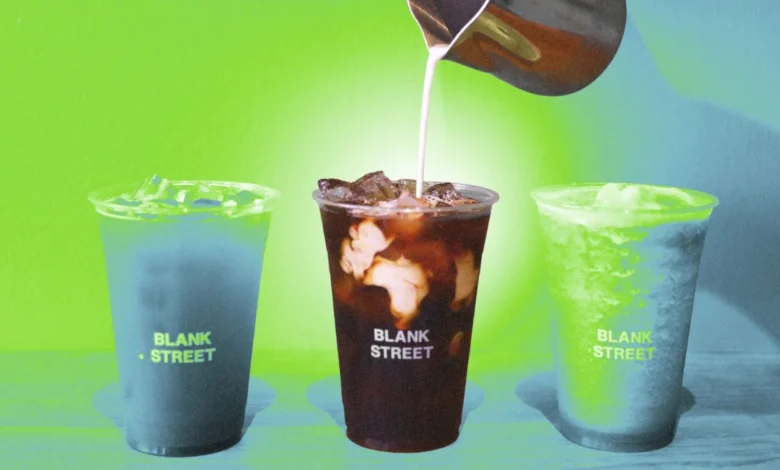
According to Wehniainen, the presence of a plastic or paper cup containing an iced beverage serves as a visual signal that the candidate views the interview as merely one task among many in a day of errands, rather than a significant professional milestone. "When you show up with an iced coffee or an iced latte, it makes it look like this interview is just like a stop on your list of errands for the day," she stated in her video. Her assessment suggests that such behavior, while perhaps unintentional, communicates a lack of seriousness and decorum that is highly valued in traditional corporate settings.
Chronology of the Discourse
The reaction to the video was instantaneous and polarized. Within hours of its posting, the content migrated from TikTok to other platforms, including Threads and X (formerly Twitter), where it morphed into a wider sociological debate.
- The Initial Posting: Caitlin Wehniainen publishes her critique, targeting the "casual" nature of bringing iced beverages to interviews.
- The Backlash: Commenters, largely representing younger demographics, countered by arguing that an interview is, in fact, just one stop in a busy day. Many argued that the focus should remain on skills and qualifications rather than the beverage choice of a candidate.
- The Expansion of the Argument: By mid-week, the conversation expanded beyond simple aesthetics to include accusations of "professionalism" being used as a gatekeeping mechanism. Critics pointed out that these "unspoken rules" often disproportionately penalize younger workers or those who do not have a background in traditional corporate culture.
- The Health-Conscious Counterpoint: A significant contingent of the discussion shifted toward the intersection of health and professional norms, with commenters highlighting that for some, keeping a drink on hand is a medical necessity rather than a fashion statement.
The Evolution of Professionalism
To understand why a cup of coffee has become a lightning rod for controversy, one must examine the broader evolution of workplace culture. Historically, corporate professionalism was defined by rigid dress codes, strict timekeeping, and a highly formalized demeanor. The "suit and tie" culture necessitated a degree of separation between one’s private life and the workspace.
However, the COVID-19 pandemic and the subsequent rise of remote and hybrid work environments significantly accelerated the casualization of the workplace. As the line between the home office and the living room blurred, the standards for what constitutes "professional" behavior began to shift. What was once considered an essential sign of respect—such as formal attire or a specific physical demeanor—is now frequently viewed through the lens of productivity and inclusivity.
The current debate is, in many ways, a proxy war for this shift. Employers who favor traditional standards see the iced coffee as a symbol of the erosion of professional boundaries. Conversely, candidates often view these standards as outdated remnants of a bygone era that place undue importance on superficial appearances rather than actual output.
Expert Perspectives on Corporate Norms
Career coach Erin McGoff, who frequently advises on the nuances of the modern job hunt, suggests that the "iced coffee issue" is a microcosm of the hidden curriculum of the workplace. In an email analysis, McGoff noted that while some recruiters may indeed view an iced beverage as a red flag, others might not notice it at all, or might view it as a non-issue.
"People aren’t debating coffee, they’re debating the unspoken dynamic we accept between candidates and employers," McGoff explained. She highlights a critical tension: "Do these secret rules exist? Yes. If you don’t know them, do you get penalized? Also yes. Is that fair? Nope."
This suggests that while the "rules" of interviewing may be subjective and potentially unfair, they remain part of the landscape that candidates must navigate. McGoff’s advice is grounded in pragmatism: if a candidate feels they must have a beverage, they should opt for a more discreet, reusable vessel—such as a sleek, opaque thermos—that minimizes the visual "clutter" of a single-use plastic cup. This compromise allows the candidate to maintain their hydration needs without inadvertently signaling a lack of preparation or formal etiquette.
Supporting Data and Implications
While there is no empirical study specifically measuring the "success rate" of candidates based on their choice of beverage, data on recruiter bias consistently shows that first impressions are formed in the first few seconds of an interaction. According to a study by the National Association of Colleges and Employers (NACE), soft skills—including professionalism, attitude, and appearance—are among the top traits employers look for in new hires.
Professionalism, however, is a moving target. In a 2023 survey by Gartner regarding the future of the workplace, HR leaders noted that "professionalism" is increasingly being redefined to prioritize authenticity and inclusion over strict adherence to rigid behavioral codes. This suggests that the "iced coffee debate" may eventually resolve itself as the workforce becomes more comfortable with a diverse set of norms.
However, the immediate implication for job seekers remains clear: the "hidden rules" of the recruitment process continue to carry weight. Recruiters, particularly those in high-level, traditional sectors like finance, law, or executive management, often look for signals of "culture fit." For these professionals, an iced coffee might represent a breach of protocol, whereas in the tech or creative industries, it might be entirely ignored.
Addressing the Ability and Inclusivity Critique
A significant portion of the debate has centered on the concept of ableism. As noted by critics on Threads, the reflexive assumption that carrying a drink is a sign of laziness or a lack of professional awareness ignores the reality of those with health conditions requiring constant hydration. Conditions such as diabetes, postural orthostatic tachycardia syndrome (POTS), or chronic dry mouth require patients to keep fluids close at hand.
When a recruiter deems a water bottle or an iced coffee "unprofessional," they may be inadvertently creating a barrier for candidates with invisible disabilities. This has led to calls for a more nuanced understanding of professionalism that prioritizes accessibility and health over traditional aesthetics.
Conclusion: The Future of the Interview
The controversy surrounding iced coffee in interviews is unlikely to result in a universal policy change, but it does serve as a necessary reminder of the friction between traditional expectations and modern realities. For candidates, the takeaway is perhaps less about the beverage itself and more about the awareness of the environment they are entering.
Understanding the "corporate culture" of a potential employer remains a vital part of interview preparation. While an iced coffee may be perfectly acceptable in one context, it could be a misstep in another. As the workforce continues to evolve, the definition of professionalism will likely continue to broaden, moving away from rigid behavioral mandates and toward a more inclusive, performance-based assessment. Until then, candidates may find that a modest adjustment—such as opting for a less distracting, reusable container—serves as a simple hedge against the subjective, and often unspoken, judgments of the modern hiring process.