
Essential Digital Toolkit: A Comprehensive Review of 25 Top Applications for Modern Freelancers


The dynamic landscape of modern work has propelled freelancing from a niche alternative to a mainstream career path, with millions worldwide embracing the autonomy and flexibility it offers. However, navigating the myriad challenges of self-employment—from efficient time management and secure client communication to streamlined invoicing and personal well-being—demands a sophisticated digital arsenal. Identifying truly effective applications amidst a crowded market of digital tools is crucial for sustained success and operational excellence in this burgeoning sector.

The Expanding Horizon of the Gig Economy
The global gig economy has witnessed unprecedented growth in recent years. Data from Statista indicates that the number of freelancers in the United States alone reached 59.7 million in 2021, representing a substantial portion of the workforce. This upward trend is not confined to one region, with similar patterns observed across Europe and Asia, driven by technological advancements, evolving work preferences, and the increasing demand for specialized skills on a project basis. This expansion, while offering unparalleled freedom, also presents unique operational hurdles. Freelancers often function as a one-person enterprise, responsible for everything from marketing and sales to project delivery and financial management. Without robust digital support, the administrative burden can quickly overshadow the creative and productive aspects of their work.

Laying the Groundwork: Client Acquisition Platforms
Before a freelancer can even begin to optimize their workflow, securing clients is paramount. Online marketplaces have democratized access to freelance opportunities, serving as vital conduits between talent and demand. Among these, Upwork stands out as a prominent platform where professionals can create profiles, bid on projects, and manage contracts and payments efficiently. This centralized approach significantly reduces the need for cold outreach, a time-consuming activity that can deter many new freelancers. Upwork, for instance, reported over $4.1 billion in gross services volume in 2023, underscoring its significant role in the freelance ecosystem. While platforms like Upwork offer unparalleled access to a global client base, they also necessitate strategic profile optimization and competitive bidding to stand out. Other platforms, such as Fiverr, cater more to micro-gigs and project-based work, offering a different value proposition where freelancers list services (Gigs) for clients to purchase, contrasting with Upwork’s bidding model. The choice between such platforms often depends on a freelancer’s specific niche, project complexity, and preferred engagement model.

Optimizing Operations: Time Management and Productivity Tools
Effective time management and productivity are the bedrock of any successful freelance venture. Juggling multiple clients, diverse projects, and fluctuating deadlines requires a disciplined approach, often facilitated by dedicated digital applications. Industry reports consistently highlight that poor time management is a leading cause of missed deadlines and client dissatisfaction among freelancers.

- Clockify and Toggl: These time-tracking applications are indispensable for freelancers, whether charging hourly or on a project basis. By meticulously logging hours, freelancers gain critical insights into the actual time investment required for different tasks. This data is invaluable for accurately pricing future projects and identifying areas where efficiency can be improved. Both offer free tiers sufficient for individual freelancers, providing detailed reports and project breakdowns. While functionally similar, user preference often dictates the choice between them, akin to a minor interface or feature nuance.
- ClickUp, Asana, and Todoist: These represent the spectrum of project and task management. ClickUp offers highly customizable workspaces, allowing freelancers to organize projects by client or business function, often with robust free features that support individual and small team operations. Its versatility extends to calendars, task lists, and goal tracking. Asana is renowned for its user-friendly interface and strong collaborative features, making it ideal for freelancers who occasionally work with sub-contractors or frequently communicate project progress with clients. Its continuous updates ensure it remains a frontrunner in project orchestration. For those seeking simplicity, Todoist provides a straightforward task management solution, akin to an advanced digital to-do list. Its intuitive design minimizes the learning curve, making it perfect for quickly capturing tasks and setting reminders, a critical function for managing daily freelance responsibilities effectively. The consistent evolution of these tools, with new features rolling out regularly, reflects the dynamic needs of remote workers.
Nurturing Well-being: Health and Wellness Applications
The remote nature of freelance work often leads to a sedentary lifestyle and can contribute to mental health challenges such as isolation and burnout. Recognizing health as a critical business asset, a growing number of freelancers integrate wellness applications into their daily routines. A survey by the Freelancers Union in 2023 indicated that over 40% of freelancers struggle with maintaining a healthy work-life balance.

- Nike Training Club and Peloton: These apps make fitness accessible from home. Nike Training Club provides a vast library of guided workouts, many requiring no equipment, making it an excellent free resource for breaking up long work hours with physical activity. Peloton, while known for its hardware, offers a comprehensive app with cycling, strength, yoga, and meditation classes. Its two-month free trial makes it an attractive option for freelancers looking for structured fitness routines. These platforms emphasize the importance of regular movement to counteract the physical demands of desk-bound work.
- Yoga for Beginners and WHOOP: For mental and physical flexibility, Yoga for Beginners provides free, accessible routines that can alleviate stress, a common byproduct of managing multiple client demands. Its integration with Apple Health allows for centralized health tracking. WHOOP represents the next generation of wearable health technology, moving beyond basic step counting to offer detailed physiological insights into recovery, sleep, and strain. Its subscription model, preceded by a free trial, appeals to data-driven individuals seeking to optimize their well-being for peak performance.
- My Fitness Pal: A long-standing tool for nutrition tracking, My Fitness Pal helps freelancers monitor their dietary intake, crucial for maintaining energy levels and overall health when the fridge is always nearby. Its ability to integrate with other health apps centralizes wellness data, empowering freelancers to make informed dietary choices that support their demanding schedules.
Ensuring Financial Stability: Invoicing and Accounting Solutions
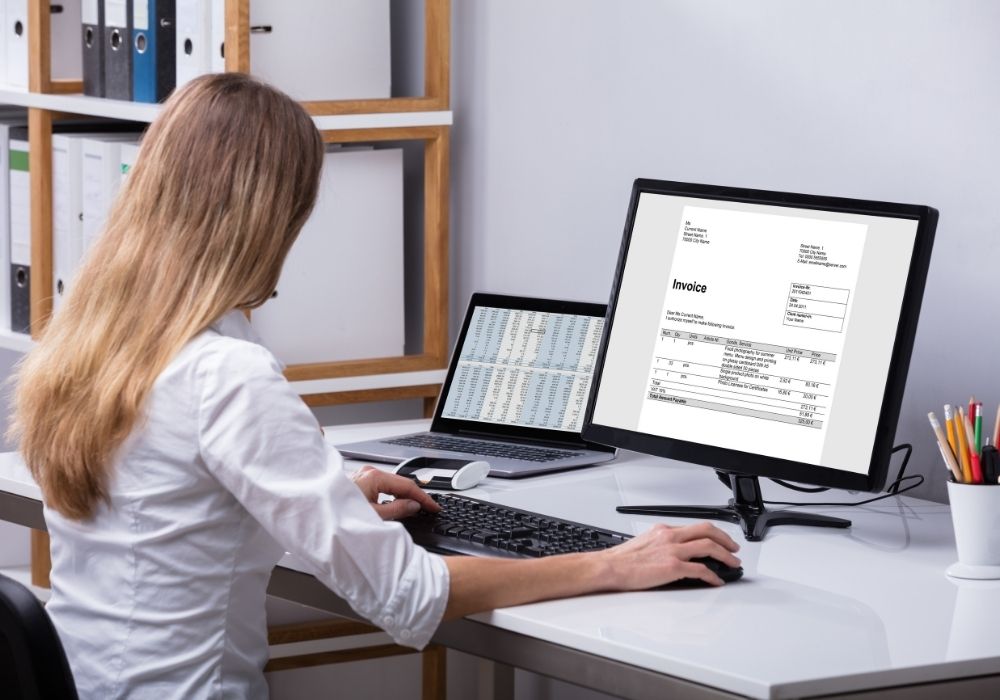
Effective financial management, from timely invoicing to meticulous expense tracking, is non-negotiable for freelancers. Cash flow is the lifeblood of any independent business, and professional invoicing software streamlines this critical process, reducing payment delays and administrative overhead. Studies show that a significant percentage of small businesses, including freelance operations, face cash flow challenges due to inefficient invoicing and payment collection.

- HoneyBook and Dubsado: These are comprehensive client management systems that extend far beyond simple invoicing. HoneyBook offers robust features for proposals, contracts, project management, and automated payment reminders, making it an all-in-one solution for the client lifecycle. Its mobile app ensures freelancers can manage client communications and financial aspects on the go. Dubsado is particularly favored by designers due to its extensive customization options for branding invoices and client portals, fostering a highly professional image. Both platforms are invaluable for automating workflows and minimizing manual administrative tasks, albeit with a learning curve for initial setup. HoneyBook’s introductory offer of $1/month for the first two months reflects the competitive landscape for such integrated solutions.
- PayPal, Wave, and QuickBooks: These platforms cater to various levels of financial complexity. PayPal remains a universally trusted payment gateway, offering simple invoicing capabilities. Its widespread acceptance among clients makes it an easy and familiar option, though transaction fees are a consideration. Wave provides free invoicing and integrated financial accounting software, making it an attractive option for freelancers seeking to meticulously track their income and expenses without significant upfront costs. Its seamless integration with numerous other business tools enhances its utility. QuickBooks, a leader in accounting software, offers comprehensive invoicing features as part of its broader suite. Its ability to track invoice statuses—viewed, paid, overdue—provides critical oversight for financial health and tax preparation. The choice among these often depends on the scale of the freelance business and the depth of financial reporting required.
Fostering Connection: Communication and Collaboration Platforms
Seamless communication is the cornerstone of successful client relationships in the freelance world. With geographic barriers often non-existent, effective digital communication tools bridge distances and ensure clarity, responsiveness, and strong collaboration.

- Voxer and Gmail: Voxer, gaining traction in online business circles, acts as a walkie-talkie app, allowing for asynchronous voice and text messaging. This can facilitate "office hours" where clients can send messages and receive voice responses, offering a more personal touch than email without the immediacy of a phone call. Its free personal plan makes it highly accessible. Gmail remains the ubiquitous professional email client. Its app ensures freelancers can manage multiple client inboxes, respond promptly, and maintain professional correspondence. Upgrading to a custom domain email via Google Workspace further enhances professionalism.
- Slack and Zoom: Slack has become a de facto standard for instant team and client communication. It allows for organized channels for different projects or clients, facilitating rapid exchanges of information, file sharing, and even group discussions without sharing personal contact numbers. Its tiered pricing model ensures scalability from individual freelancers to larger teams. Zoom capitalized on the shift to remote work, becoming synonymous with video conferencing. It is crucial for initial client consultations, project kick-offs, and regular check-ins, enabling face-to-face interaction that builds rapport and clarifies complex discussions more effectively than text-based communication. Its integration with scheduling tools further streamlines client meetings.
- Loom: This innovative tool allows freelancers to record their screen and webcam simultaneously, creating quick video tutorials or explanations. For tasks like onboarding clients to new software or demonstrating a specific process (e.g., how to add an admin to a Facebook Page), Loom vastly outperforms written instructions, saving time and reducing potential misunderstandings. The free version supports videos up to five minutes, covering most common instructional needs.
Structuring Success: Organization and Digital Asset Management
In the digital realm, organization is not merely a preference but a necessity. Managing vast quantities of client files, project documents, personal notes, and sensitive login credentials requires robust organizational systems to prevent loss, maintain security, and ensure accessibility.

- Google Drive and Dropbox: These cloud storage solutions are fundamental for digital asset management. Google Drive offers substantial free storage and seamless integration with Google Workspace (Docs, Sheets, Slides), making it highly collaborative and widely used by clients. Its ease of sharing and co-editing capabilities are a major advantage. Dropbox is a strong alternative, often favored for its intuitive file synchronization and robust version control. While Google Drive excels in collaboration, Dropbox might be preferred for personal document organization due to its focus on file management. Both offer paid tiers for expanded storage.
- Goodnotes and Evernote: For digital note-taking, these apps revolutionize how freelancers capture ideas and meeting minutes. Goodnotes, particularly popular among iPad users, allows for handwritten notes, annotations on PDFs, and even digital planning with customizable templates. It bridges the gap between traditional note-taking and digital efficiency. Evernote is a versatile note-taking and archiving tool that syncs across devices, enabling freelancers to capture ideas, web clippings, and documents on the go. Both offer different interfaces and features, appealing to varied note-taking styles, with free versions often sufficient for individual needs.
- LastPass: Cybersecurity is paramount, especially when handling client login credentials. LastPass is a secure password manager that allows freelancers to store and share passwords safely with clients or team members without revealing the actual credentials. This significantly enhances security protocols, reduces the risk of data breaches, and streamlines access to client accounts. As a browser extension and mobile app, its free tier provides essential password management for individual users, making it a critical tool for any freelancer managing multiple digital identities.
The Broader Impact: Implications for the Freelance Ecosystem
The strategic adoption of these digital tools has profound implications for the freelance ecosystem. Collectively, they empower independent professionals to operate with the efficiency and professionalism traditionally associated with larger enterprises. This digital toolkit enables freelancers to:
- Enhance Productivity: Automating repetitive tasks, streamlining communication, and centralizing project information free up valuable time for creative work and client delivery.
- Improve Client Satisfaction: Professional invoicing, clear communication channels, and organized project management contribute to a seamless client experience, fostering trust and repeat business.
- Promote Well-being: By integrating health and fitness apps, freelancers can actively manage the physical and mental demands of self-employment, reducing burnout and ensuring long-term sustainability.
- Bolster Financial Stability: Robust invoicing and accounting solutions ensure timely payments, accurate financial tracking, and simplified tax preparation, mitigating common financial stresses.
- Strengthen Security: Tools like LastPass provide critical safeguards for sensitive data, protecting both the freelancer and their clients in an increasingly cyber-aware landscape.
Looking ahead, the freelance app market is likely to continue its rapid evolution, with increasing integration of artificial intelligence for predictive analytics, personalized recommendations, and even more sophisticated automation. The trend towards "all-in-one" solutions that combine several functionalities (e.g., CRM, invoicing, project management) will likely intensify, offering freelancers fewer platforms to juggle.
Ultimately, the discerning selection and proficient utilization of this digital toolkit are not just about convenience; they are about building a resilient, efficient, and sustainable freelance business in the 21st century. For the modern freelancer, these applications are no longer optional accessories but essential investments in their professional success and personal well-being.