Finding Solace in the Shadows of Mortality: How One Traveler Confronted Grief and Anxiety in Bangkok

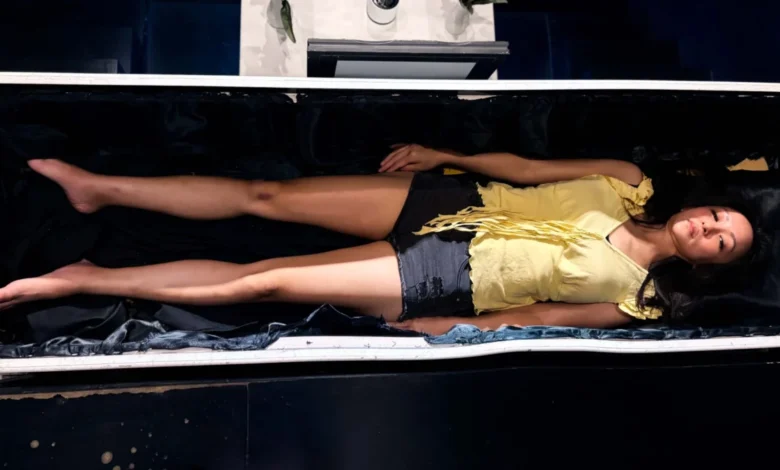
The intersection of travel, mental health, and terminal illness often manifests in unexpected ways, forcing individuals to confront deeply ingrained fears in unfamiliar cultural landscapes. For Australian writer and columnist Liv Arnold, a scheduled trip to Bangkok, Thailand, became an unintended journey through the architecture of human grief and mortality. Traveling while her mother faced a third diagnosis of liver cancer back home in Melbourne, Arnold sought refuge—and a strange form of psychological exposure therapy—in the bustling streets of the Thai capital, moving between high-intensity Muay Thai training camps and the philosophical exhibits of a prominent death-awareness cafe.
The narrative of this journey highlights a growing global interest in death positivity, experiential psychological processing, and the ways in which different cultures integrate the inevitability of human impermanence into daily life.

The Weight of Anticipatory Grief and Anxiety
Long before her travels to Southeast Asia, Arnold lived in the shadow of anticipatory grief. Growing up, family photo albums served as visual markers of aging, prompting childhood anxieties about the eventual loss of her parents. In adulthood, these abstract childhood fears crystallized into a diagnosed anxiety disorder, compounded by the recurring medical crises of her mother’s health.
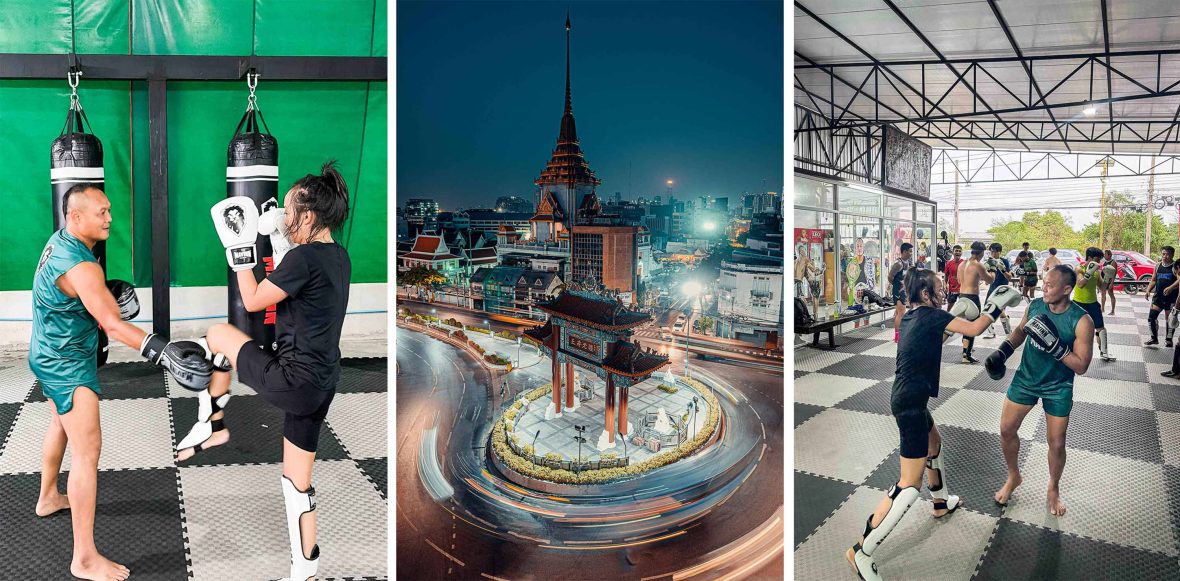
When doctors in Melbourne began discussing advanced intervention strategies for her mother’s third bout of liver cancer, Arnold’s pre-booked itinerary to Thailand provided an immediate physical and psychological displacement. Traveling with an active anxiety disorder often demands immediate tactile grounding. For Arnold, this grounding was initially found not in traditional meditation retreats, but inside the ropes of Bangkok’s Muay Thai boxing gyms.
Training sessions with legendary fighters such as Saenchai transformed abstract future-oriented anxiety into immediate, present-tense physical realities. As Arnold noted of her time in the ring, anxiety thrives on projections of the future, whereas a physical strike requires absolute, second-by-second presence.

The Cultural Landscape of Mortality in Bangkok
Thailand’s cultural and philosophical relationship with death is deeply informed by Theravada Buddhism, which constitutes the religious framework for approximately 90 percent of the nation’s population. Buddhist philosophy frequently emphasizes mindfulness of death—known in Pali as Maranasati—as a primary tool for reducing human suffering, greed, and ego.
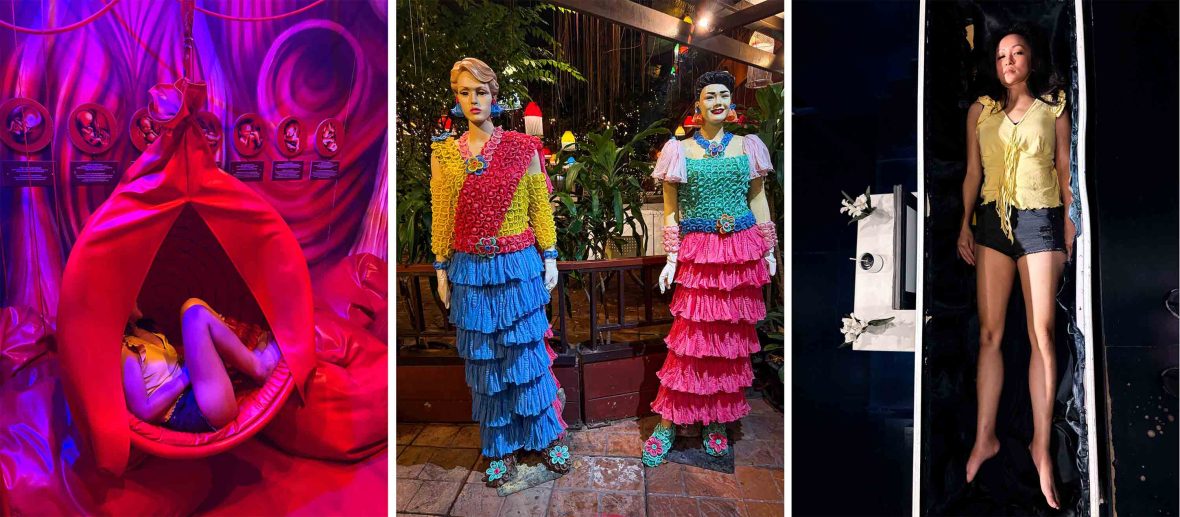
Capitalizing on this cultural openness, Buddhist philosopher Veeranut Rojanaprapa established the Kid Mai Death Awareness Cafe in Bangkok in 2018. Originally conceived as fieldwork for his doctoral research, the cafe was designed to test whether institutionalized contemplation of mortality could foster a more ethical, less corrupt society. The venue features a simulated life cycle divided into distinct exhibits: Birth, represented by red womb-like structures for the fetal position; the Elder stage, utilizing weighted vests and impaired vision simulators; a Pain exhibit mimicking an intensive care unit; and a Death exhibit centered around physical wooden caskets.
While local neighborhood reactions initially included complaints regarding the unconventional delivery of caskets to a commercial establishment, Rojanaprapa welcomed the friction, asserting that public controversy successfully forced individuals to engage with the reality of their own transience. For international visitors like Arnold, the exhibits offered a surreal yet structured environment to externalize lifelong existential dread.
Broadening the Scope: Public Health and Cultural Openness
Bangkok’s capacity for confronting cultural taboos extends beyond mortality into public health advocacy. Years prior to the establishment of the death-awareness cafe, Thai activist Mechai Viravaidya revolutionized public health campaigns by normalizing conversations around safe sex during the height of the nation’s HIV epidemic in the late 20th century.
Through initiatives such as the Cabbages & Condoms restaurant and widespread educational campaigns targeting taxi drivers, police forces, and religious leaders, Viravaidya successfully altered the national dialogue regarding sexual health. Public health data indicates that such aggressive, destigmatizing public awareness campaigns contributed to a dramatic decline in new HIV infections in Thailand, showcasing the societal benefits of stripping stigma away from inevitable human biological realities.
This cultural willingness to look directly at uncomfortable truths—whether related to contraception, aging, or terminal illness—provided a thematic backdrop for Arnold’s journey through Bangkok’s historical and spiritual landmarks, from the flower markets of Pak Khlong Talat to the 151-foot Reclining Buddha at Wat Pho.
The Implications of Confronting Impermanence
The psychological exercise of lying inside a wooden coffin or donning a surgical gown in a simulated intensive care unit does not erase clinical anxiety or cure terminal diagnoses. Arnold’s reflections underscore an essential agnosticism regarding metaphysical afterlives; the reality of impermanence does not require doctrinal belief to exert its emotional weight.
However, the juxtaposition of simulated mortality in Bangkok with real-world medical crises unfolding in Melbourne forced a re-evaluation of familial communication. For decades, Arnold’s mother maintained a protective barrier, shielding her children from the administrative and physical burdens of her failing health—offering sanitary products or minimizing medical setbacks with a resilient flexed-bicep emoji, even as emergency hospitalizations loomed.
By stepping outside her normal routines and engaging with physical spaces explicitly designed to honor the life cycle, Arnold found the psychological fortitude to breach that protective silence. The journey ultimately transformed her approach to grief: shifting the focus from an anxious preoccupation with a future loss to a conscious appreciation of the present moment.
In the final analysis, travel of this nature serves not as an escape from reality, but as a mirror. By placing oneself in environments where life, aging, and death are openly acknowledged and displayed, travelers navigating personal trauma can find new vocabulary for connection, resilience, and emotional honesty.