Evoto 8.0 Brings Portrait Retouching to Video Intelligent Culling Mobile Tethering and More

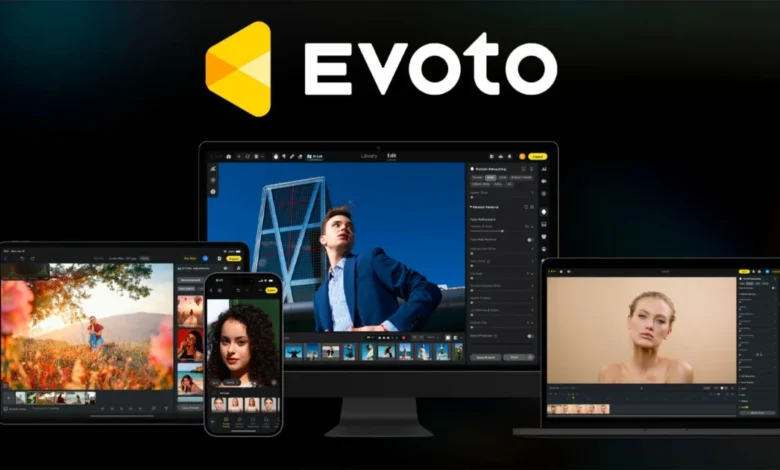
Evoto has officially released version 8.0 of its flagship software, a sweeping update that encompasses the desktop application, mobile interface, and its dedicated video editing suite. This release signals a strategic pivot for the company, moving away from controversial experiments in generative AI replacement tools toward a focus on professional-grade workflow optimization. The update introduces significant technical advancements, including portrait retouching capabilities within DaVinci Resolve, story-based intelligent culling, mobile tethering, and the launch of a creator-focused Asset Hub marketplace.
The release of version 8.0 arrives at a pivotal moment in the company’s history. Earlier this year, in January 2026, Evoto faced severe backlash from the professional photography community following the launch of an AI-driven headshot generator. The product was widely perceived as a move to commoditize and replace human portrait photographers rather than assist them. The ensuing public outcry served as a catalyst for a corporate reevaluation. By the spring of 2026, leadership at Evoto began signaling a shift in policy, emphasizing that their core mission remained the development of tools to compete with industry incumbents like Adobe, specifically by streamlining the post-production process for high-volume shooters. Version 8.0 represents the tangible execution of that pivot, prioritizing the needs of professional studios and freelance photographers over the pursuit of generative replacement tech.
The Evolution of Workflow: Story-Based Culling
One of the most labor-intensive aspects of professional photography—particularly in the wedding and event sectors—is the culling process. A typical wedding photographer may capture upwards of 4,000 frames during a 14-hour workday. Traditionally, these files are presented chronologically, requiring hours of manual review.

Evoto 8.0 addresses this with "Storyline Mode," an AI-powered organizational tool that parses metadata and visual content to group images into logical "chapters." By automatically organizing a massive dump of raw files into coherent segments, the software allows photographers to maintain a narrative structure throughout their delivery. For high-volume environments like school portraits or real estate, "General Mode" offers a more technical grouping, sorting images by subject, camera setup, or specific scene, regardless of the time stamp.
Complementing this is the introduction of a new Software Development Kit (SDK) for the desktop app. This feature is aimed directly at enterprise-level production teams. By allowing studios to script recurring tasks—such as automated imports, preset application, and batch exporting—Evoto is positioning itself as a viable backbone for studios handling tens of thousands of images per week.
Advancing Portrait Retouching in Video
Perhaps the most technically significant inclusion in the 8.0 update is the integration of portrait retouching directly into video workflows. Managing consistent retouching across a motion clip is notoriously difficult due to changing light and shifting subject positions. A 30-second video clip at 24 frames per second contains 720 individual frames; attempting to manually retouch these is prohibitive for most production budgets.
Evoto’s new video tools utilize temporal consistency algorithms to ensure that skin texture and facial adjustments remain stable across these hundreds of frames. Furthermore, the software now functions as an OpenFX plugin for DaVinci Resolve (version 19 or later). This integration allows colorists and editors to apply high-end retouching—including hair shine tracking, conservative teeth whitening, and facial volume restoration—without leaving the DaVinci Resolve environment.
)
By targeting DaVinci Resolve, Evoto is making a calculated move into the professional cinematography space, acknowledging that the lines between high-end photography and video production are increasingly blurred in modern media workflows.
Mobile Tethering and Hardware Integration
The Evoto mobile application has received a substantial overhaul to support professional on-set needs. The primary addition is mobile tethering, which allows photographers to transmit images from their camera to a mobile device for immediate, AI-assisted review and editing.
The mobile app now features "Hot Presets," which allow for the instant application of stylistic adjustments. Additional mobile features include advanced color controls, Motion Blur simulation, and Relight tools. By enabling these features on tablets and smartphones, Evoto is catering to the "mobile-first" photographer who requires the ability to deliver high-quality proofs to clients on location, rather than waiting until the end of a long shoot to return to a desktop workstation.
Refined Core Algorithms and Desktop UI
Beyond the headline features, version 8.0 includes deep-level improvements to the software’s core image-processing engines. Algorithms for handling complex issues such as background liquify, sweat stain removal, and clothing moiré have been updated for higher precision.
)
The company has also focused on "context-aware" processing. The software is designed to analyze the specific environment of the photograph—taking into account the light, color temperature, and subject depth—before applying corrections. This ensures that edits like generative expand or background extraction do not create unnatural artifacts that break the continuity of the original image.
A complete redesign of the Home screen consolidates several disparate workflows into a single interface. The new "Evobot" in-app assistant serves as a natural language interface, allowing users to ask questions about software functionality and receive direct links to the relevant control panels, thereby reducing the learning curve for new users.
The Asset Hub Marketplace
The final pillar of the 8.0 update is the introduction of the Asset Hub. This marketplace is built into the software and allows users to browse, test, and purchase official and creator-made assets, including presets, AI Looks, and sky replacements.
The economic model of the Asset Hub is designed to encourage professional adoption. Users can test any asset on their own images before committing to a purchase; the software applies the effect, and only upon export is the license verified or the purchase finalized.
)
For content creators, this represents a significant monetization opportunity. Evoto has implemented a revenue-sharing model where creators retain 60% of net sales, with no listing fees. The platform supports a tiered pricing structure:
- Presets: $8 to $30
- AI Looks: $49 to $199
- Backdrops/Skies: $2 to $8
To maintain quality control, Evoto requires that all submissions be original work owned by the creator. While AI Background Fusion assets are currently excluded from the marketplace, the platform is open for other asset types as of launch.
Broader Industry Implications
The transition of Evoto from a developer of "replacement" AI to a provider of "workflow" AI is a significant case study in the current state of the photography software market. The company’s decision to back away from generative AI headshot tools underscores a broader industry sentiment: professionals are generally resistant to tools that threaten to undermine their business models, but they are highly receptive to tools that eliminate technical drudgery.
By aligning its product roadmap with the daily pain points of photographers—such as culling thousands of wedding photos or matching grades across video clips—Evoto is attempting to establish a symbiotic relationship with its user base. The decision to integrate with DaVinci Resolve and offer an SDK for studios further suggests that the company is looking to entrench itself within existing professional ecosystems rather than trying to force users into a proprietary, closed-loop system.
)
Pricing and Availability
Evoto 8.0 is available for download immediately. The company continues to eschew the industry-standard monthly subscription model, opting instead for a credit-based system. This model allows users to pay only for the volume of images they process, a structure that has proved popular with seasonal photographers and those with fluctuating workflows.
As the software enters its next phase of development, the success of the Asset Hub and the reception of the video-retouching features will likely determine whether Evoto can successfully challenge the established dominance of Adobe’s Creative Cloud in the long term. For now, the company appears to have successfully navigated its public relations crisis by refocusing on the practical, time-saving needs of the working professional.